Best React calendar components

Building appointment-style features in React requires more than a date picker. Day planners, booking tools, and team schedules need event editing, drag-and-drop, recurrence, and sometimes resource calendars. The right choice depends on how much scheduling logic the app needs and whether a wrapper around a DOM library is enough.
This article compares five React calendar components using the criteria below. For plain JavaScript options, our guide to the best JavaScript calendar components covers more alternatives.
- React integration model.
- Calendar views and editing features.
- Resource scheduling.
- Pricing and license tiers.
- When Bryntum Calendar is the better fit for production scheduling.
Bryntum Calendar
Bryntum Calendar targets performance-intensive scheduling applications and ships as a fully featured commercial calendar component built from the ground up. It includes a dedicated React wrapper and covers the full range of views a professional calendar tool requires. The Bryntum Calendar React quick start covers the full setup path.
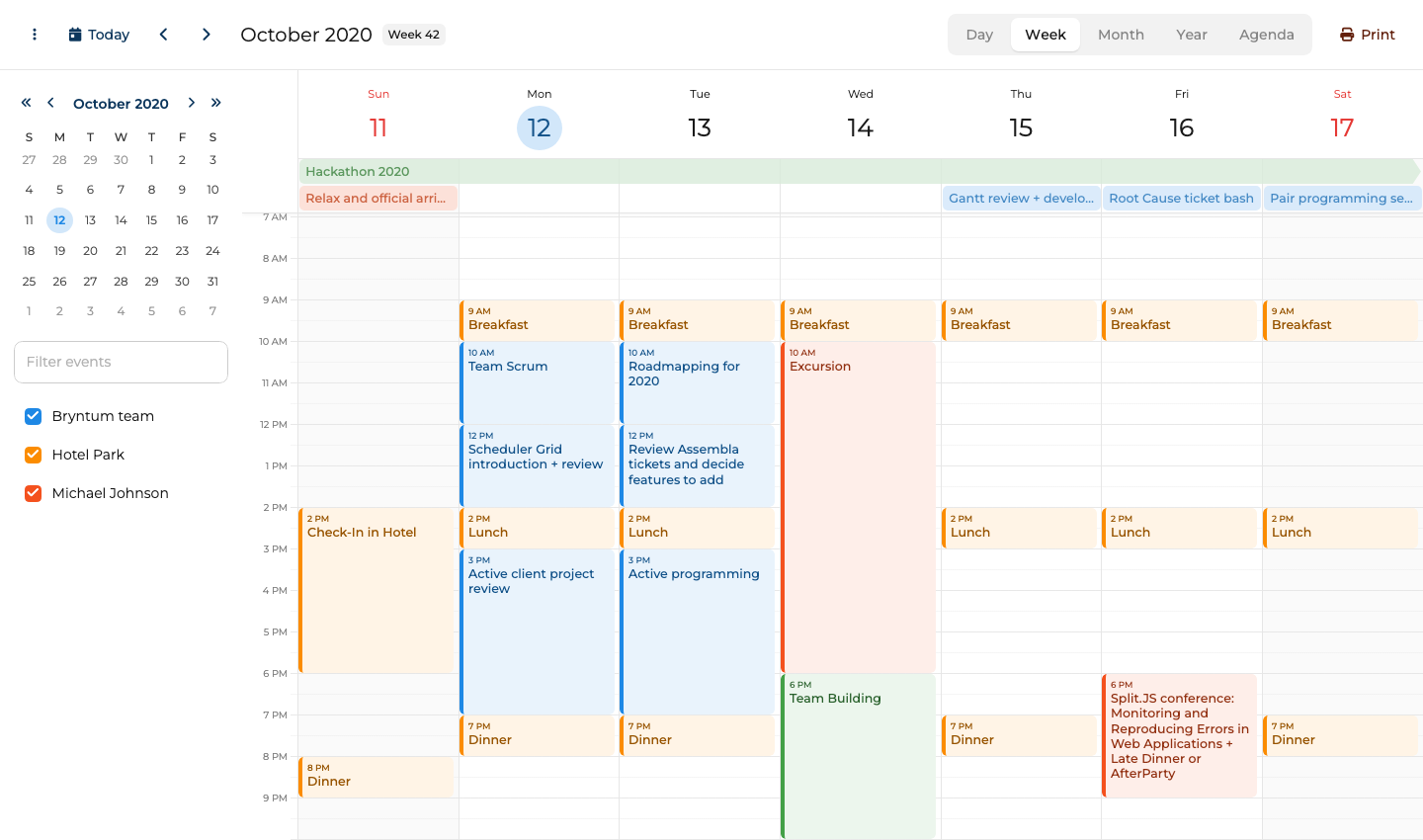
Bryntum Calendar setup with the React wrapper
Install the trial packages from the npm registry:
npm install @bryntum/calendar@npm:@bryntum/calendar-trial@7.3.0
npm install @bryntum/calendar-react@7.3.0
Import the CSS files in a specific order. Font files must come before component styles so that icons resolve correctly:
import '@bryntum/calendar/fontawesome/css/fontawesome.css';
import '@bryntum/calendar/fontawesome/css/solid.css';
import '@bryntum/calendar/calendar.css';
import '@bryntum/calendar/svalbard-light.css';
Then use the BryntumCalendar component in your app:
import { BryntumCalendar } from '@bryntum/calendar-react';
import { useState } from 'react';

const App = () => {
    const [config] = useState({
        date      : '2025-10-12',
        resources : [
          { id : 'bryntum', name : 'Bryntum team',     eventColor : 'blue' },
          { id : 'hotel',   name : 'Hotel Park',       eventColor : 'orange' },
          { id : 'michael', name : 'Michael Johnson', eventColor : 'deep-orange' }
        ],
        events    : [
          { id : 1, name : 'Hackathon 2025',                       startDate : '2025-10-11T14:00:00', endDate : '2025-10-18T12:00:00', allDay : true, resourceId : 'bryntum', eventColor : 'green' },
          { id : 2, name : 'Breakfast',                            startDate : '2025-10-12T09:00:00', endDate : '2025-10-12T10:00:00', resourceId : 'hotel' },
          { id : 3, name : 'Team Scrum',                           startDate : '2025-10-12T10:00:00', endDate : '2025-10-12T12:00:00', resourceId : 'bryntum' },
          { id : 4, name : 'Scheduler Grid introduction + review', startDate : '2025-10-12T12:00:00', endDate : '2025-10-12T14:00:00', resourceId : 'bryntum' }
        ]
    });
    return <BryntumCalendar {...config} />;
};
Bryntum Calendar gives React apps resource scheduling out of the box
Bryntum Calendar covers day, week, month, year, and agenda views out of the box. Recurring events follow RFC 5545 RRULE syntax, which means recurrence rules defined in one system can be read by any other standards-compliant calendar application. The component supports drag-and-drop, all-day events, and a built-in event editor with conflict detection so users cannot accidentally double-book.
The resource calendar view makes it possible to overlay events from multiple people or rooms in a single calendar, which is useful for team availability and room booking scenarios. Bryntum Calendar ships with 10 built-in themes covering both light and dark appearances.
Bryntum Calendar starts with the Small Team license
A license costs $680 per developer for the Small Team license, with a three-developer minimum and 12 months of updates. After the first year, continued updates require renewal. No free tier is available, but a trial version is on the npm registry.
Bryntum Calendar brings advanced scheduling features to React
Bryntum Calendar stands out for several reasons.
- First-class React wrapper with full TypeScript support.
- RFC 5545 RRULE recurring events for standards-compliant interoperability.
- Resource calendar view included without a premium upsell.
- Ten built-in themes covering both light and dark appearances.
- Active commercial support and a long release history.
Bryntum Calendar adds commercial cost and CSS order requirements
Three limitations apply when evaluating Bryntum Calendar.
- Commercial-only, with no free or open source tier for any project type.
- Per-developer cost is higher than some commercial alternatives.
- Font CSS imports must come in a specific order, which can catch new users off guard.
FullCalendar
FullCalendar has the largest community of any open source calendar library in the JavaScript ecosystem. Its core package is MIT-licensed, and it has a large ecosystem of plugins for views, time zones, and recurrence. The React integration is a first-class package, not an afterthought.
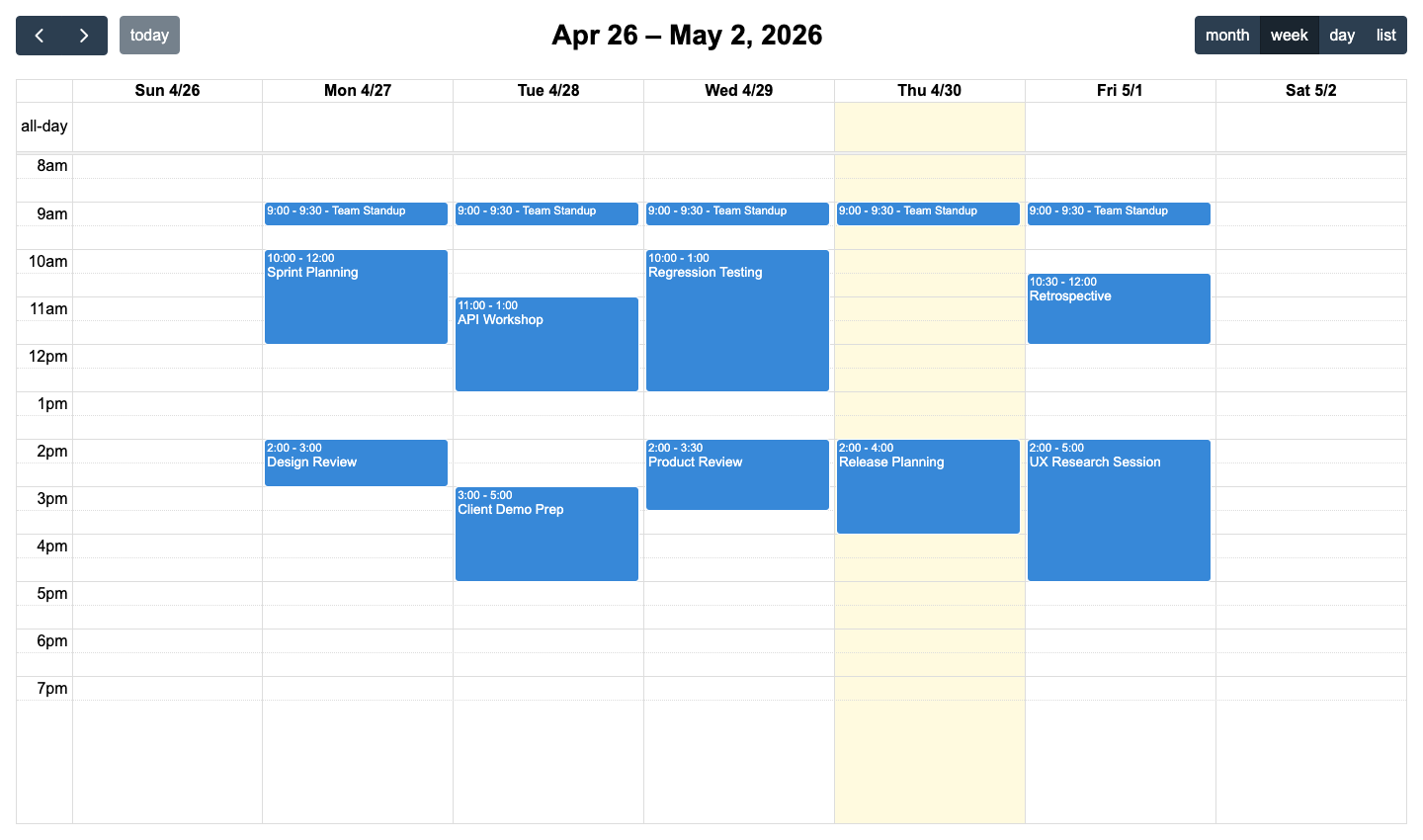
FullCalendar setup with React plugins
Install the core package and whichever view and plugin packages you need:
npm install @fullcalendar/react @fullcalendar/core @fullcalendar/daygrid @fullcalendar/timegrid @fullcalendar/list @fullcalendar/interaction @fullcalendar/rrule
Then compose the calendar with the plugins you installed:
import FullCalendar from '@fullcalendar/react';
import dayGridPlugin from '@fullcalendar/daygrid';
import timeGridPlugin from '@fullcalendar/timegrid';
import listPlugin from '@fullcalendar/list';
import interactionPlugin from '@fullcalendar/interaction';
import rrulePlugin from '@fullcalendar/rrule';

const App = () => (
    <FullCalendar
        plugins={[dayGridPlugin, timeGridPlugin, listPlugin, interactionPlugin, rrulePlugin]}
        initialView="dayGridMonth"
        headerToolbar={{ left : 'prev,next today', center : 'title', right : 'dayGridMonth,timeGridWeek,timeGridDay,listWeek' }}
        editable
        selectable
        events={[
            { title : 'Team standup', rrule : { freq : 'weekly', byweekday : ['mo','tu','we','th','fr'], dtstart : '2026-01-15T09:00:00' }, duration : '00:30' },
            { title : 'Sprint review', start : '2026-01-16T14:00:00', end : '2026-01-16T15:00:00' }
        ]}
    />
);
FullCalendar covers React calendars without resource views
FullCalendar supports day, week, month, and list views through its plugin architecture. Drag-and-drop requires the interaction plugin, and RRULE-based recurring events require the rrule plugin, both of which are free and MIT-licensed. Time zone support is also available as a plugin.
Resource views (resource timeline, resource day, and resource week) are available in FullCalendar Premium. The core package covers standard appointment-style calendaring well, and because it is MIT-licensed, it fits into any project regardless of commercial restrictions.
FullCalendar is easier to justify for a free React calendar, but Bryntum Calendar is the clearer choice when resource calendars are central to the product.
FullCalendar keeps the core free and charges for resource views
The core library is MIT-licensed and free for any use. FullCalendar Premium starts at $480 per year and adds resource views, which are the main reason teams upgrade.
FullCalendar gives React teams a mature free core
FullCalendar is a strong choice for several reasons.
- MIT-licensed core with a large community and extensive documentation.
- Plugin architecture keeps bundle size manageable, since the app only includes the plugins it uses.
- RRULE recurring events are part of the free tier.
- Strong time zone support.
FullCalendar needs plugins for richer React scheduling
Three limitations come with FullCalendar.
- Resource calendar views sit behind a Premium paywall.
- A full-featured calendar setup requires installing and wiring several packages.
- Theming options are more limited compared to commercial alternatives.
Schedule-X
Schedule-X takes a TypeScript-first approach with an MIT license and a clean plugin architecture. It is newer than FullCalendar, but its API design reflects lessons learned from older libraries. Configuration uses composable plugins rather than a single monolithic options object.
Schedule-X setup with its React adapter
Install the core packages and the plugins you need:
npm install @schedule-x/react @schedule-x/calendar @schedule-x/theme-default @schedule-x/event-recurrence
Set up the calendar using the useCalendarApp hook and render it with ScheduleXCalendar:
import { useCalendarApp, ScheduleXCalendar } from '@schedule-x/react';
import { createViewWeek, createViewMonthGrid, createViewDay } from '@schedule-x/calendar';
import { createEventsServicePlugin } from '@schedule-x/events-service';
import { createEventRecurrencePlugin } from '@schedule-x/event-recurrence';
import '@schedule-x/theme-default/dist/index.css';

const App = () => {
    const eventsService  = createEventsServicePlugin();
    const recurrencePlugin = createEventRecurrencePlugin();

    const calendar = useCalendarApp({
        views   : [createViewDay(), createViewWeek(), createViewMonthGrid()],
        events  : [
            { id : '1', title : 'Team standup',  start : '2026-01-15 09:00', end : '2026-01-15 09:30', rrule : 'FREQ=WEEKLY;BYDAY=MO,TU,WE,TH,FR' },
            { id : '2', title : 'Sprint review', start : '2026-01-16 14:00', end : '2026-01-16 15:00' }
        ],
        plugins : [eventsService, recurrencePlugin]
    });

    return <ScheduleXCalendar calendarApp={calendar} />;
};
Schedule-X gives React teams a TypeScript-first calendar core
Schedule-X provides day, week, and month views. Recurring events are available through the free event recurrence plugin, while drag-and-drop requires a Premium plugin. Dark mode is built in. The library is TypeScript-first, so type safety is consistent throughout the API rather than bolted on through separate declaration files.
Schedule-X has no resource calendar view. Teams that need to display multiple people's events side by side must build that layer themselves or choose a different library.
Schedule-X is lighter than Bryntum Calendar, but Bryntum includes more scheduling behavior before you reach for paid plugins or custom code.
Schedule-X pricing separates free core and Premium plugins
Schedule-X core is MIT-licensed and free. Premium plugins, including resource view, drag-and-drop, drag-to-create, and event forms, require a paid Schedule-X Premium license.
Schedule-X keeps React calendar bundles small
Schedule-X has three notable advantages.
- MIT-licensed core with a typed React API.
- TypeScript-first with well-typed APIs throughout.
- Dark mode out of the box.
- Plugin architecture keeps the core small and the API composable.
Schedule-X falls short when resource calendars are required
Three limitations make Schedule-X unsuitable for some projects.
- No resource calendar view.
- Newer project with a smaller community than FullCalendar.
- Fewer themes and customization options compared to commercial products.
DHTMLX Scheduler
DHTMLX Scheduler has been in production use for many years and covers the full range of scheduling views, including day, week, month, year, and agenda, with strong recurring event support. DHTMLX now publishes an official React Scheduler wrapper for paid tiers, while Individual and GPL users still use the plain JavaScript scheduler in React.
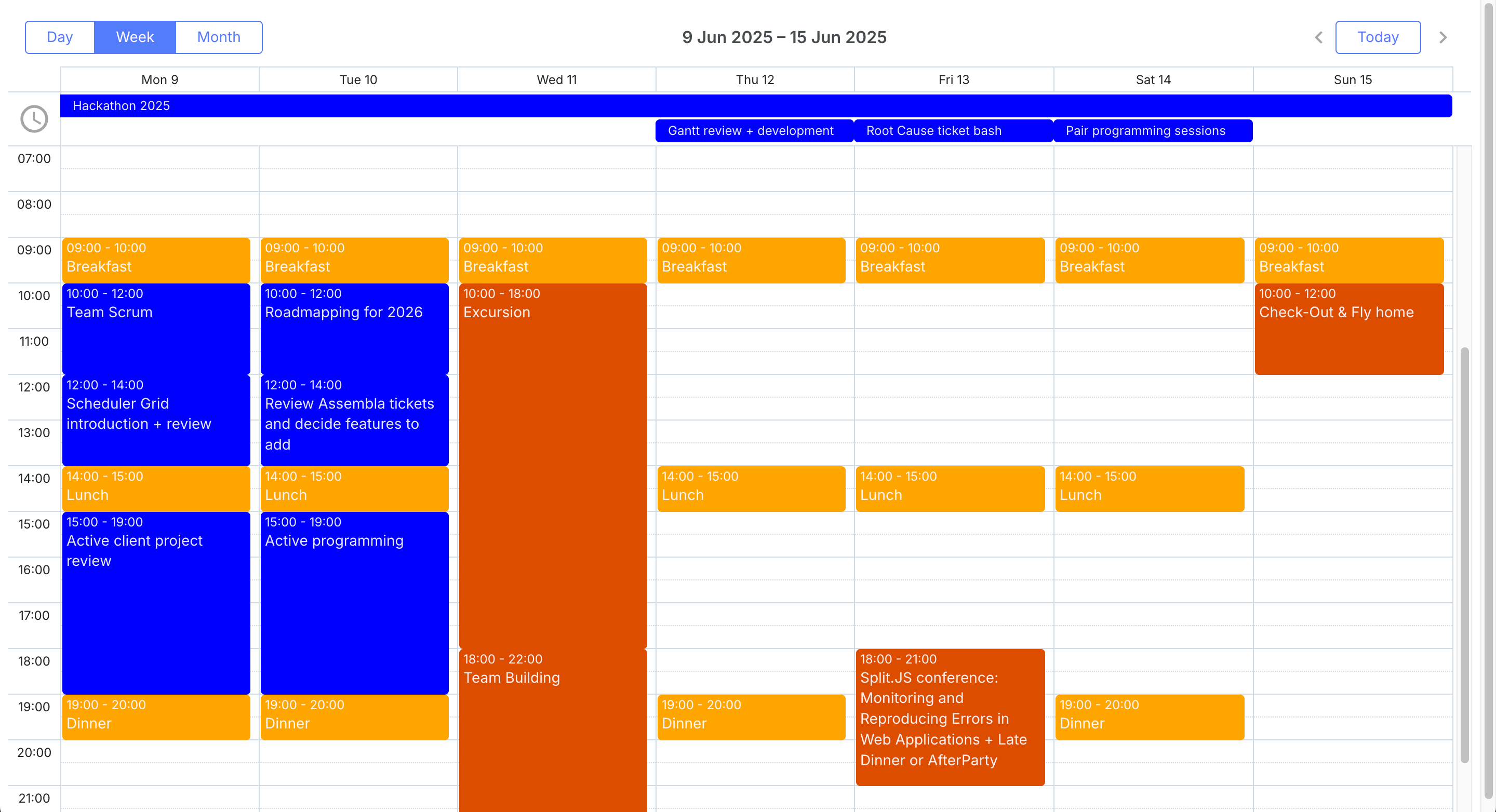
DHTMLX Scheduler setup with React Scheduler
Install the evaluation React package:
npm install @dhtmlx/trial-react-scheduler
Render the ReactScheduler component with event data and a default view:
import ReactScheduler from '@dhtmlx/trial-react-scheduler';
import '@dhtmlx/trial-react-scheduler/dist/react-scheduler.css';

const events = [
    { id : 1, text : 'Team standup',  start_date : new Date('2026-01-15T09:00:00'), end_date : new Date('2026-01-15T09:30:00') },
    { id : 2, text : 'Sprint review', start_date : new Date('2026-01-16T14:00:00'), end_date : new Date('2026-01-16T15:00:00') }
];

export default function CalendarComponent() {
    return (
        <div style={{ height : '100vh' }}>
            <ReactScheduler
                events={events}
                view="month"
                date={new Date('2026-01-15T00:00:00')}
            />
        </div>
    );
}
DHTMLX Scheduler depends on the right React licensing tier
DHTMLX Scheduler covers day, week, month, year, and agenda views with recurring event support and touch device compatibility. The Standard edition is free for GPL-compatible open-source projects. The PRO edition adds a Mini Calendar widget, a Unit view for displaying events grouped by category, and a Timeline view similar to a resource grid.
DHTMLX React Scheduler supports props for events, view, date, config, and templates. The older DOM ref integration remains relevant for Individual and GPL users, which makes the licensing tier part of the technical decision.
DHTMLX Scheduler covers mature calendar views, but Bryntum Calendar gives React teams a more direct component integration path.
DHTMLX Scheduler pricing separates GPL and PRO use
DHTMLX Scheduler Standard is free for GPL-compatible open-source projects. Paid PRO licenses start with the Individual tier at $599, and DHTMLX lists Commercial, Enterprise, and Ultimate tiers for larger teams.
DHTMLX Scheduler brings mature calendar views to React
DHTMLX Scheduler offers four notable strengths.
- Free Standard edition for GPL-compatible open-source projects.
- Mature library with extensive documentation and a long support history.
- Day, week, month, year, and agenda views all included in the Standard edition.
- Touch support built in.
DHTMLX Scheduler gates the React wrapper behind higher tiers
Three drawbacks apply when using DHTMLX Scheduler in a React project.
- The official React wrapper is available only with Commercial, Enterprise, and Ultimate licenses.
- Individual and GPL users need the plain JavaScript integration, which sits outside the React rendering model.
- PRO pricing is harder to compare at a glance than the Bryntum per-developer pricing.
Mobiscroll Event Calendar
Mobiscroll Event Calendar emphasizes mobile-first design and works well on both desktop and touch devices. It supports calendar, timeline, and agenda views with a strong emphasis on responsive design and intuitive interaction patterns.
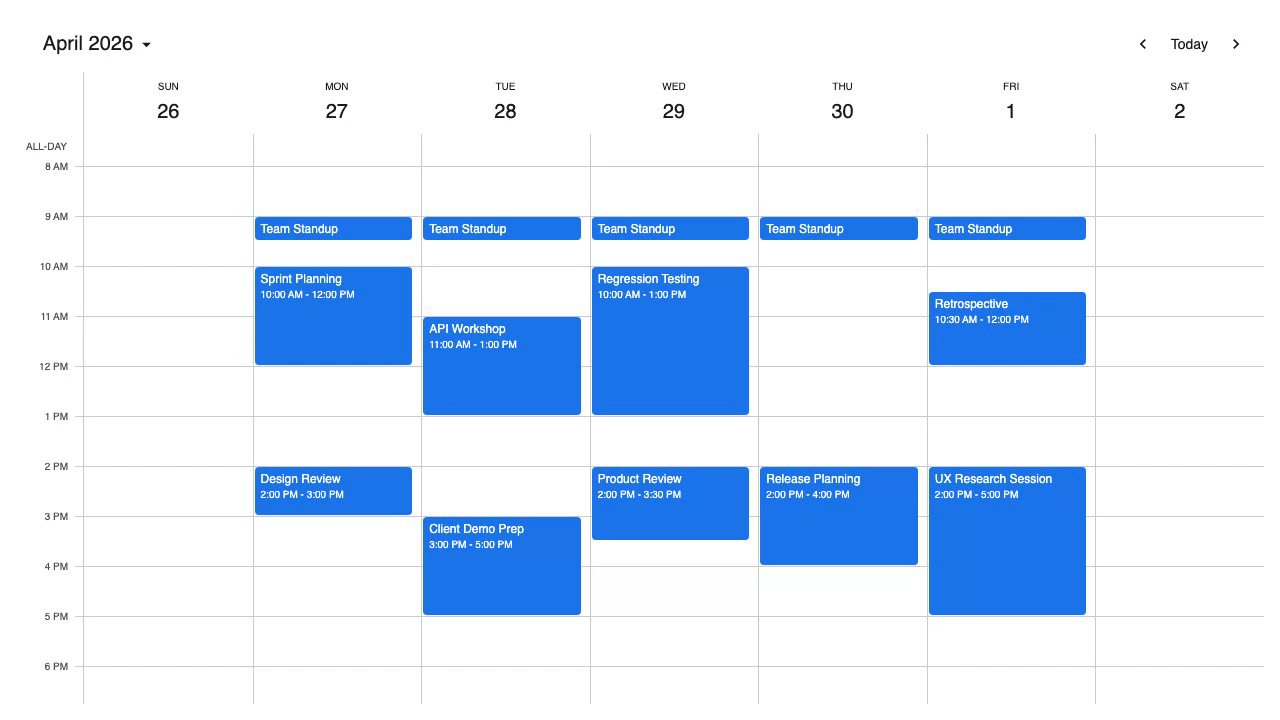
Mobiscroll Event Calendar setup with React
Configure the Mobiscroll private npm registry before installing the React package:
npm install @mobiscroll/react
Import the CSS and use the Eventcalendar component:
import { Eventcalendar, MbscCalendarEvent } from '@mobiscroll/react';
import '@mobiscroll/react/dist/css/mobiscroll.min.css';

const events: MbscCalendarEvent[] = [
    { id : 1, title : 'Team standup',  start : '2026-01-15T09:00:00', end : '2026-01-15T09:30:00', recurring : { repeat : 'weekly', weekDays : 'MO,TU,WE,TH,FR' } },
    { id : 2, title : 'Sprint review', start : '2026-01-16T14:00:00', end : '2026-01-16T15:00:00' }
];

const App = () => (
    <Eventcalendar
        view={{ calendar : { type : 'week', popover : true } }}
        data={events}
        dragToMove
        dragToCreate
    />
);
Mobiscroll Event Calendar targets mobile-first React calendars
Mobiscroll Event Calendar provides calendar, timeline, and agenda views. Recurring events use an object-based recurrence API rather than raw RRULE strings. Drag-to-move and drag-to-create are available as props, and the mobile-first design means the calendar adapts well to small screens without additional configuration.
The component ships with a dedicated React API and full TypeScript support. Customization is handled through props and CSS variables rather than a plugin system.
Mobiscroll is the stronger mobile-first option, while Bryntum Calendar is stronger for complex resource scheduling in React.
Mobiscroll Event Calendar starts with an internal project license
Mobiscroll Event Calendar starts at $995 for a single internal project as a perpetual license. The Complete internal project license starts at $1,955 and adds the full product set, source code, and priority support.
Mobiscroll Event Calendar prioritizes touch UX
Mobiscroll Event Calendar has four strengths worth noting.
- Mobile-first design that works well on touch devices out of the box.
- Native React component with TypeScript support.
- Drag-to-create lets users create events directly on the calendar without opening a separate form.
- Clean, minimal API for recurring events.
Mobiscroll Event Calendar offers fewer scheduler views than Bryntum
Three limitations apply before choosing Mobiscroll.
- Multi-project product teams need a higher tier or a SaaS license.
- Recurrence uses a custom object format rather than RFC 5545 RRULE strings, which can complicate interoperability with other calendar systems.
- Fewer view types than Bryntum Calendar or DHTMLX Scheduler.
Which React calendar component should you choose?
The table below summarizes how the five components compare across key features.
| Feature | Bryntum Calendar | FullCalendar | Schedule-X | DHTMLX Scheduler | Mobiscroll |
|---|---|---|---|---|---|
| Day/week/month views | Yes | Yes | Yes | Yes | Yes |
| Recurring events | Yes (RFC 5545) | Yes (RFC 5545) | Yes (RFC 5545) | Yes | Yes (custom format) |
| Drag-and-drop | Yes | Yes | Yes (plugin) | Yes | Yes |
| Resource calendar view | Yes | Premium only | No | PRO only | No |
| Dark mode | Yes (themes) | Limited | Yes | Limited | Yes |
| React wrapper | Yes | Yes | Yes | No (DOM ref) | Yes |
| Free / open source tier | No | Yes (MIT core) | Yes (MIT) | Yes (GPL projects) | No |
The table below maps common scenarios to the most appropriate option.
| Scenario | Recommended option |
|---|---|
| Enterprise app needing resource scheduling | Bryntum Calendar |
| Open source project with a tight budget | FullCalendar (MIT core) or Schedule-X |
| Mobile-first consumer application | Mobiscroll Event Calendar |
| GPL-licensed project needing mature tooling | DHTMLX Scheduler Standard |
For teams building a general-purpose appointment calendar with no resource scheduling needs, FullCalendar and Schedule-X both cover the core use case for free. FullCalendar has a larger community and more documentation, while Schedule-X offers a more modern TypeScript-first API. For projects that need resource calendars (overlaying multiple people's schedules), Bryntum Calendar is the strongest option in the free-to-commercial comparison, with resource scheduling included in its standard license rather than locked behind an upgrade.
Mobiscroll is worth considering when the primary user base is on mobile devices, since its responsive design handling is noticeably smoother than the other options. DHTMLX Scheduler is a reasonable choice for teams that are already using other DHTMLX products or need a GPL-compatible free license for an open source project.
For teams building internal tools, booking systems, or any application where scheduling is central to the product, we recommend trying Bryntum Calendar. Its combination of RFC 5545 RRULE support, resource calendaring, and a genuine React wrapper makes it the most complete option for complex scheduling requirements.